One case.
One tripod.
Everything KSKI uses to put a game on the air fits in a single hard case — except the tripod, which rides alongside it. Thirteen pieces, all battery-powered, all carried in by one person. Here's what they are and how they fit together.
Tested, not theorized. Nothing here made the list because it looked good on paper. This combination is the product of a lot of trial and error — gear that got sent back, cables that quit at the worst possible moment, streams that dropped in buildings that shouldn't have been a problem — until the rig came out the other side working in the widest range of rinks, gyms, and fields we could throw at it. What's left is the simplest setup we've found that handles almost every situation.
If this list saved you a few hundred dollars in mistakes, or you've enjoyed a free stream or two, a few bucks in the Tip Jar is the easiest way to say thanks. It's what keeps the cameras rolling.
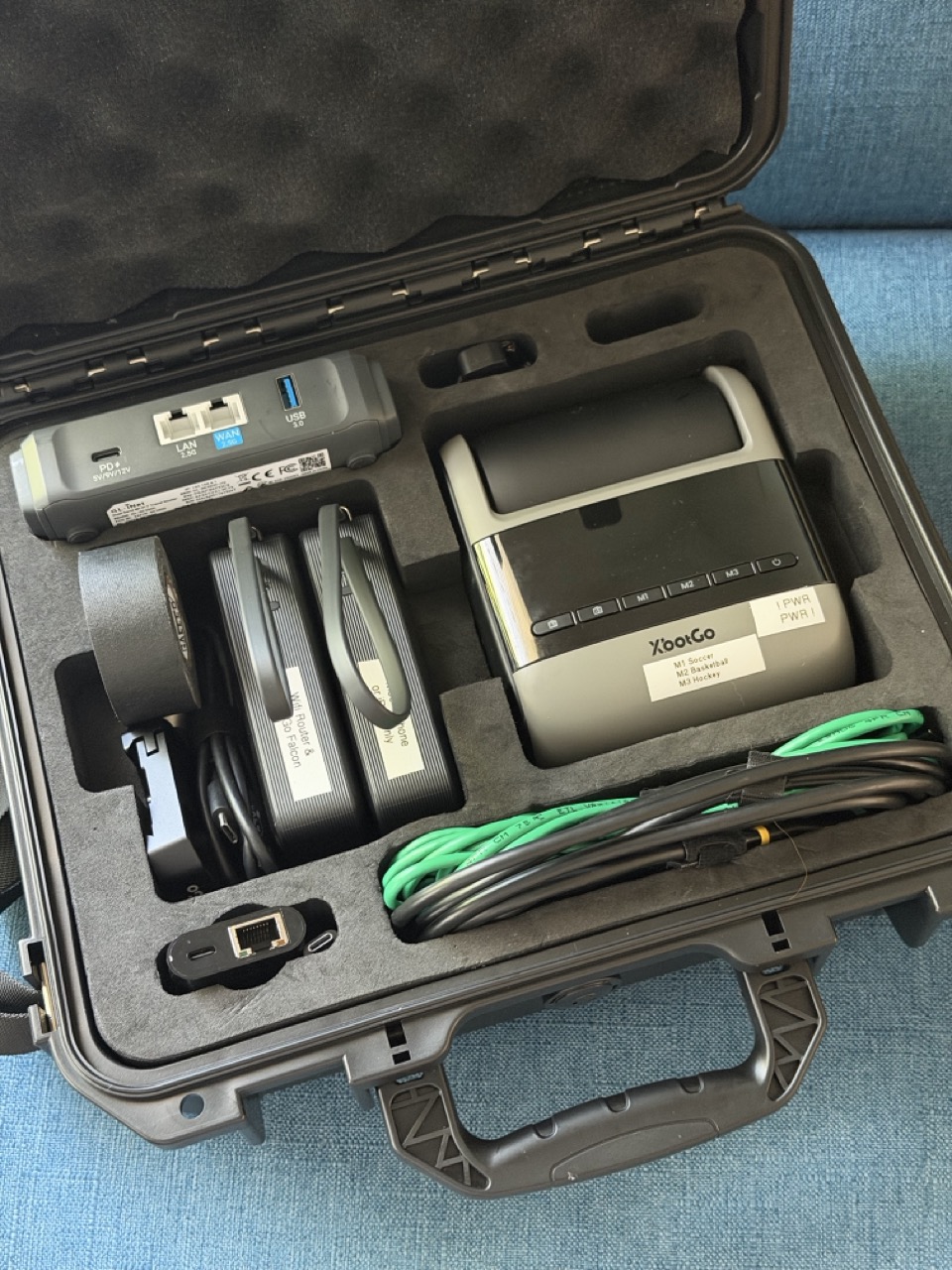
Camera. Network. Power.
Everything else on this page exists to hold, feed, or connect these three.

It follows the play on its own. That single fact is what lets one person run an entire broadcast from the stands instead of needing a camera operator. It streams live through the phone and records 4K to a card at the same time, so there's always a local copy if the connection ever wobbles.

The whole trick lives in this one-inch box. It joins the rink's Wi-Fi, clears the "click to accept" page once, and hands the phone a hardwired Ethernet connection out its LAN port. Captive-portal handling and MAC cloning are built in, so it gets through doors a phone can't.

Two of them, and they never share a job. One runs the router and the camera for a full game; the other keeps the phone topped up. Both have fold-out wall prongs, so between games they plug straight into an outlet and recharge themselves — no brick to carry.
The problem is the building.
Ice rinks and gyms are steel boxes. Cell signal dies at the door, and the venue Wi-Fi usually has a splash page a camera app can't get past. Streaming over either one means dropped frames and a buffering wheel at the exact moment somebody scores.
And there's a catch on top of that: the camera itself eats the phone's Wi-Fi. So we don't stream over the phone's own connection at all. We hand the phone a wire.
-
01
The phone's Wi-Fi is already taken. The Slate 7 joins the rink's Wi-Fi in its place.
The Falcon is its own Wi-Fi device — the phone has to be joined to the camera's network for the XbotGo app to see it, control it, and pull its video. A phone can only be on one Wi-Fi network at a time, so the moment it's paired with the camera, it can't also be on the rink's Wi-Fi. There's no second Wi-Fi radio to spare.
So the Slate 7 takes that job. It connects to the venue network like any laptop would. If there's a splash page, its touchscreen opens it and we accept once — for the router, not the phone. If the venue only allows approved devices, the router can present a permitted MAC address. Either way, it now holds the building's internet, and it's about to hand it to the phone through a different door.
-
02
The router turns that Wi-Fi into a wired Ethernet line.
A Cat6 cable runs from the Slate 7's LAN port to a USB-C Ethernet adapter on the iPhone. Venue Wi-Fi comes in one side of the router; a plain wired network goes out the other, and now that Ethernet cable is carrying the rink's internet straight into the phone.
That's the whole point: Ethernet is a completely separate connection from Wi-Fi. So the phone's Wi-Fi stays on the Falcon, pulling in the camera's video, while the Ethernet cable delivers the rink's internet for pushing the live stream out to YouTube. Camera in over Wi-Fi, stream out over the wire — two jobs, two connections, no conflict.
-
03
iOS sees a wire and stops trusting the cell towers.
The moment the adapter plugs in, an "Ethernet" entry appears in Settings. Phones treat a physical cable as the highest-priority, lowest-latency path they have — above cellular, above their own Wi-Fi. Every byte the phone sends now goes down the wire.
-
04
The camera streams through the phone, and the phone never looks back.
The Falcon keeps talking to the phone over the camera's own Wi-Fi, exactly as before. When the app pushes the live feed to YouTube, that video goes phone → cable → router → rink Wi-Fi. The phone never falls back to a weak indoor 5G signal, so the stream doesn't stutter when the building does.
Two batteries, two jobs.
Nothing on this rig plugs into the wall during a game. The two Anker banks split the work so neither one is doing too much.
The Slate 7 plugs into the USB-C port; the Falcon plugs into the bank's built-in cable. Both draw power continuously, and one bank carries them for roughly 4 to 4½ hours — a full game with margin to spare.
Dedicated to the iPhone so the thing running the broadcast never gets starved. 30W fast-charging, good for about 1.6 full charges — more than a game needs.
Each bank has fold-out prongs. Near an outlet, they plug straight in and recharge themselves — no extra charger to carry, no extra thing to forget.
The other ten.
These hold, feed, mount, and tidy the three above.

The case. Everything on this page except the tripod lives in it — camera, router, banks, cables, tools. Rink parking lots in January are not kind to electronics; this keeps it all dry, padded, and in one piece.

The local backup. If the stream ever hiccups, the full game is still on the card. V30 and U3 ratings mean it keeps up with sustained 4K writing without dropping frames.

Gets the recording off the card and onto a phone or laptop without hunting for the right dongle. Lives in the case permanently.

Gets the camera above the glass, above the crowd, and above the guy who stands up every time the puck moves. Air-cushioned sections lower slowly instead of guillotining your fingers. The one thing that doesn't fit in the case.

Plugs into the iPhone and gives it two things at once: a real Ethernet jack, and pass-through power from the battery bank. One port, both jobs.

The long run. Gets power from a bank at the base of the tripod up to a camera sixteen feet in the air, with headroom to spare on wattage.

Every cable that crosses a walkway gets taped down. Gaff tape holds like it means it and peels off clean — no sticky residue on a gym floor, on your gear, or on anything the facilities manager owns. It's also the emergency mount: when there's nowhere to set the Slate 7, a few wraps strap it to the tripod pole for the game. Keep it low on the pole — knee height, not head height — so if it ever works loose it drops onto the floor and not onto somebody walking past.
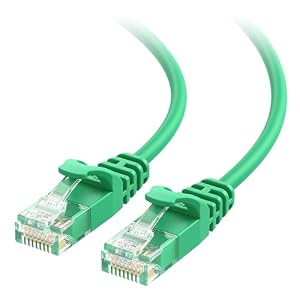
The wire between the router and the phone. Fourteen feet is enough slack to put the router where the signal is and the phone where the eyes are. Thin enough to coil into a pocket.

Mostly for the microSD card. The Falcon's card slot is a push-to-click type — press once to seat it, press again to release it — and the card is tiny, sits nearly flush, and is hard to click out and grab with bare fingers. A 2.5mm flat blade works as an extra fingernail: one gentle press pops it loose, and the tip lifts it clear without fumbling. It also handles the odd small screw on a mount plate.

Keeps the cable run tidy up the tripod leg and stops the inside of the case from turning into one knot between games.
Product images and links are from Amazon. We don't earn anything from them — they're here so you can find the exact part. Not sponsored, not affiliated, not a business.